Introducing Studio0.5.0

Free. Unlimited.

Your agents. Your code. Your rules.

A focused desktop Studio for agentic coding.
From your first prompt to the changes you choose to keep.

Unlimited app usage. AI providers may have quotas; local inference uses your hardware.

No subscription. No license key. No gate between you and your code.

ClosedCode · StudioLOCAL FIRST
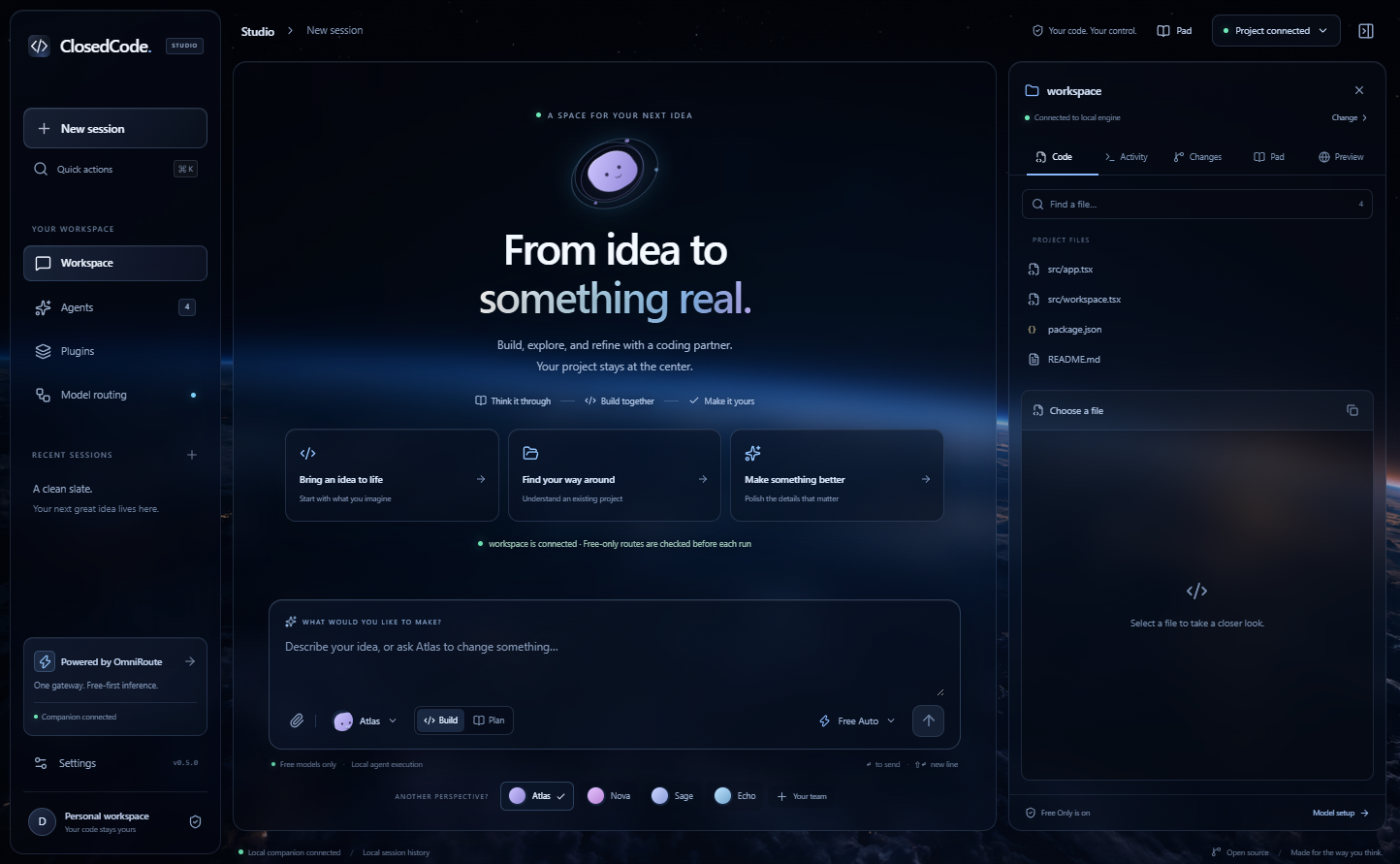
ClosedCode Studio with a focused conversation, project context, and workspace tools.
Studio, with its deep-space orbital horizon theme. A clear space for the way you build.
WORKS WITH YOUR MODEL STACK
OmniRoute
Ollama
OpenAI-compatible APIs
THINK BIG. STAY IN FLOW.

The whole workflow.
One clear space.

Describe it. Build it. See what changed.
Keep the conversation and the work in view.

01 / YOUR TEAM
AtlasWorking with your team
BUILDER
NovaExplore the codebase
SageReview the changes
Illustrative delegation

A little personality.
A lot of capability.

Build with Atlas, explore with Nova, or create an agent with its own personality and instructions. Searchable glass pickers keep your team and live models close at hand. Follow the work as it happens in Studio.

Meet your agents
02 / YOUR MODELS
Free models only
OmniRouteVerified free
Available fallbackReady when needed
Illustrative route configuration

Free-first.
Momentum built in.

Discover installed models and verified zero-cost routes. One-click local OmniRoute setup connects built-in no-auth free models, free OAuth/CLI providers, and free-tier APIs with automatic multi-model failover.

See how routing works
03 / YOUR WORKSPACE
your-next-big-thing/LOCAL
npm test
Command approval requiredYour call
Illustrative approval request

Your workspace.
Your say.

Inspect file diffs as your agent builds. Keep or undo its direct file writes, and approve commands and external MCP tools before they run. The decisions stay with you.

Explore the Studio
INTRODUCING STUDIO / 0.5

See what changed.
Keep what works.

A quiet, focused place to turn an idea into a project. Ask your agent, follow its actual activity, and review the result while the context is still fresh.

Studio · ChangesYOUR CALL
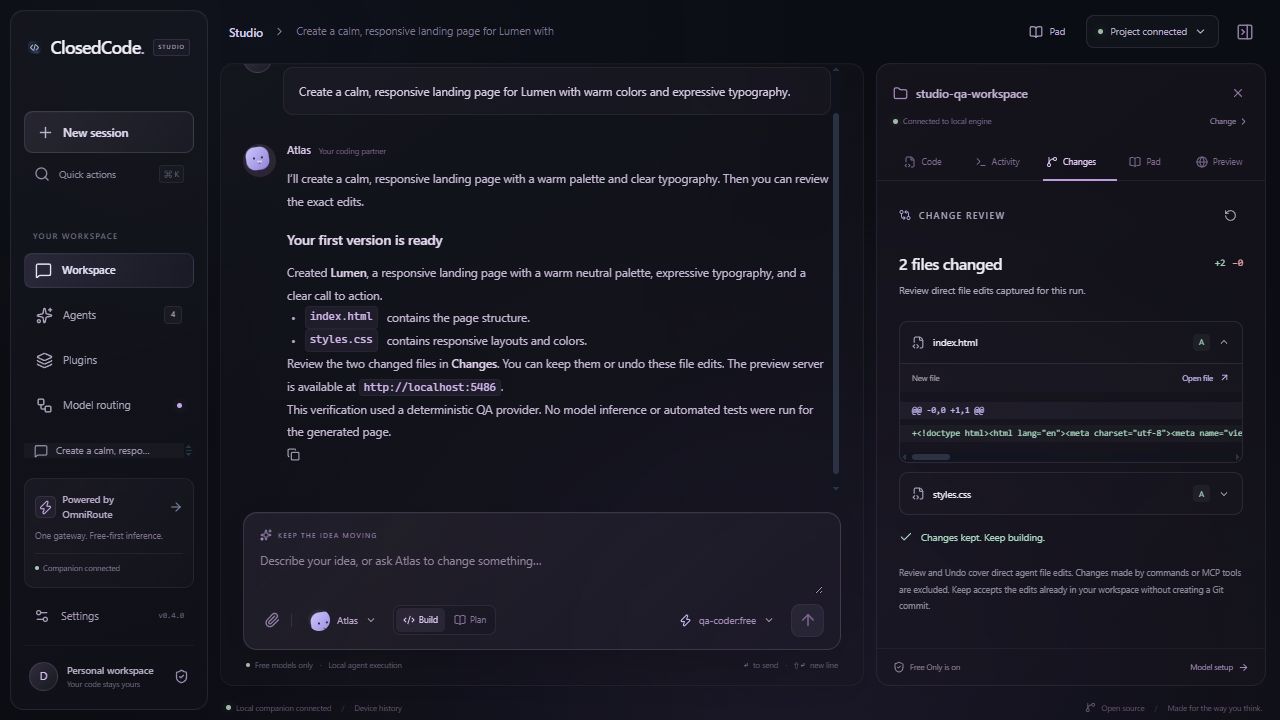
ClosedCode Studio file changes with a readable diff and Keep and Undo controls for direct agent file edits.
Review direct file writes in Changes. Keep the result or undo a write after checking the diff.

Activity you can follow.

See tool calls, results, and approvals as they happen. Live activity reflects actual work, so you can tell when the agent is reading, editing, or waiting for you.

A Pad for the project.

Keep notes, ideas, and the details you want to remember beside your work. Your Pad is saved locally for each project and is there when you return.

Bring the result to life.

When your local development server is running, open its preview in your browser. Move from the conversation to the actual app you are building.

Keep and Undo cover direct file writes made through ClosedCode’s file tools. They do not roll back terminal commands or external tool actions.

DIFFERENT PERSPECTIVES. A SHARED GOAL.

Meet the minds
behind the momentum.

Choose a personality for the way you work.
Or create your own, with a name, role, color, and instructions.

Atlas

The builder

Calm focus.
Thoughtful execution.

Nova

The explorer

Curious questions.
A fresh perspective.

Sage

The reviewer

A sharp eye.
A steady point of view.

Echo

The debugger

Patient investigation.
Precise fixes.

YOUR OWN POINT OF VIEW.

Shape your team.
Make it personal.

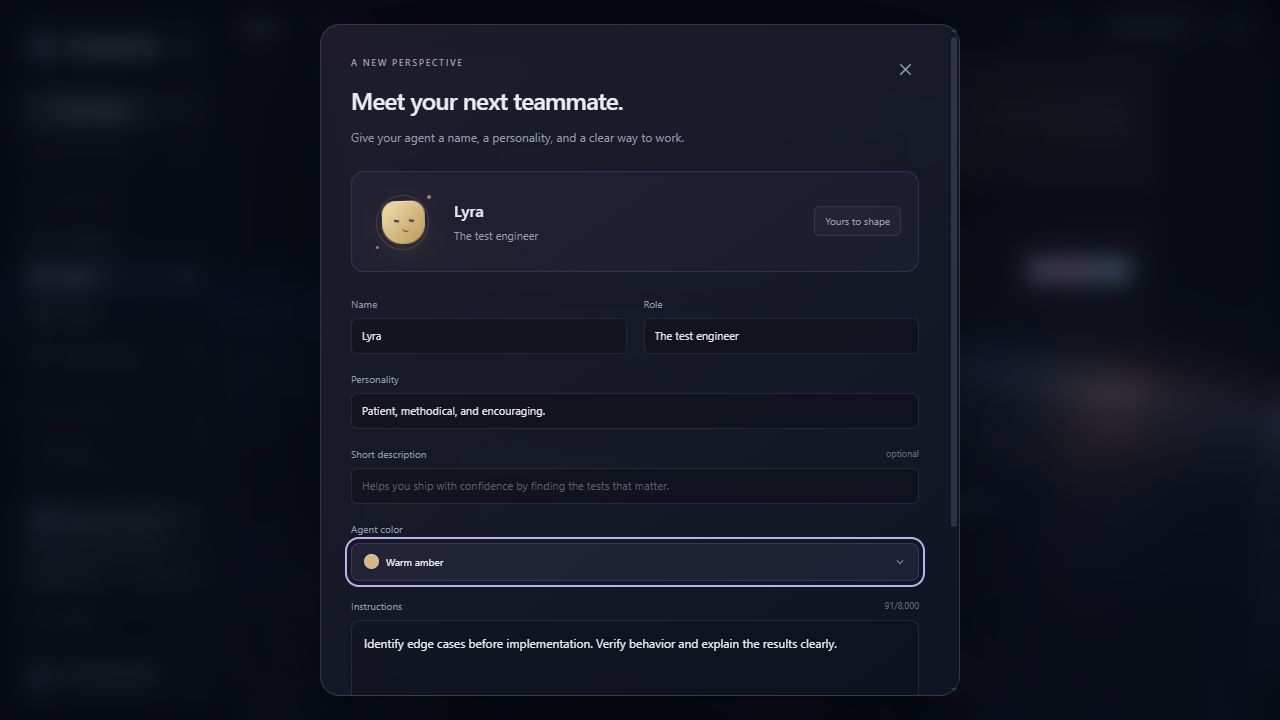
A patient teacher, a meticulous tester, or an architect who asks the right questions. Give each agent its own personality and instructions.

Search your team and available models in frosted glass pickers, with keyboard navigation and clear availability. Build and Plan permissions still apply to every custom agent.

Build with your own agents
ClosedCode custom agent editor with its frosted glass color picker.
Your own agents, with searchable glass pickers.
ONE GATEWAY. YOUR CHOICE.

Keep going.
Keep control.

OmniRoute brings compatible providers behind one local endpoint. ClosedCode checks the live model catalog and selects verified zero-cost routes when Free models only is on.

One-click local OmniRoute setup starts the gateway, verifies free-only safeguards automatically, and routes across built-in no-auth free models, free OAuth/CLI providers, and free-tier APIs with automatic fallback if a provider is rate-limited. Provider quotas still apply.

  • One-click local OmniRoute setup
  • Multi-tier verified free model discovery
  • Automatic free-route failover
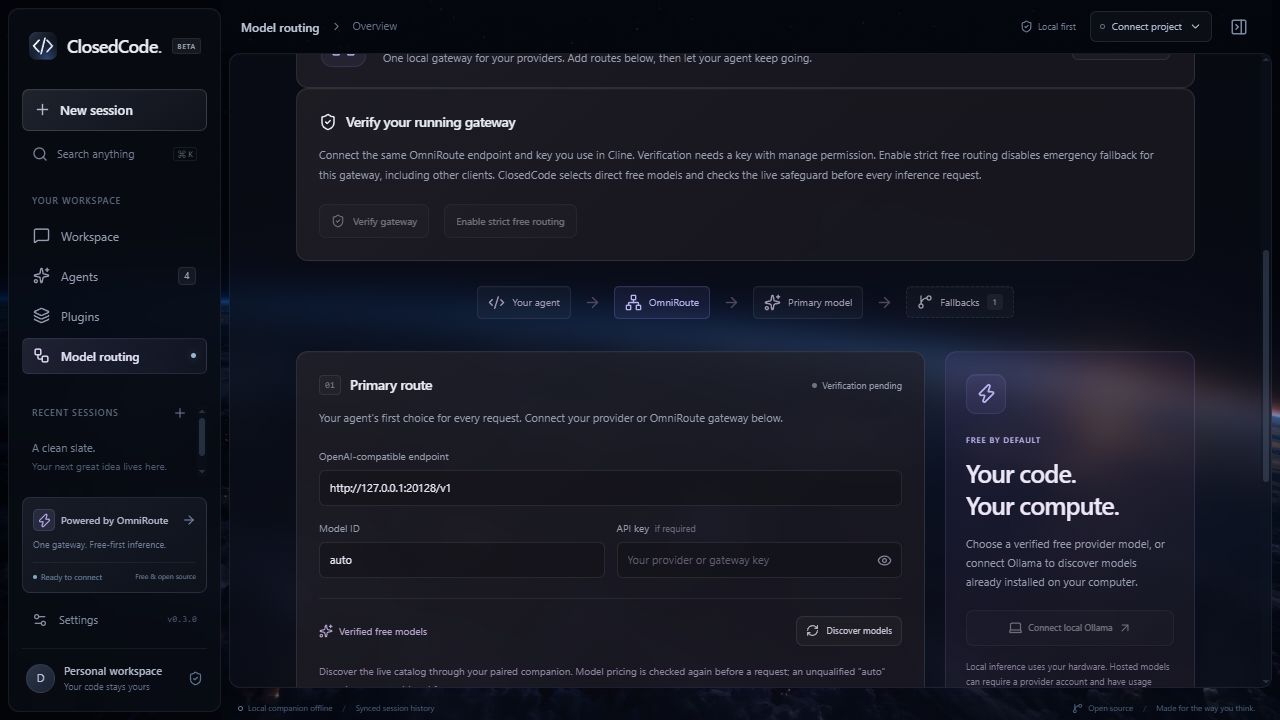
ClosedCode 0.3.0 routing settings with live gateway verification and strict free routing.
Verified free routing, with safeguards checked before inference.
PUBLIC DOMAIN
NO STRINGS. JUST POSSIBILITIES.

Unconditionally yours.

Take the code. Change it. Monetize it.
No permission. No credit required.

The original ClosedCode code is dedicated to the public domain through the Unlicense. Build your own version, put your name on it, or make it part of something bigger.

Use it commerciallyModify & redistributeRelicense your versionNo attribution required
git clone https://github.com/ahpah-dev/closedcode.git
This applies to original ClosedCode code. Third-party components retain their own licenses.
YOUR NEXT IDEA IS WAITING.

Make room
for what’s next.

A native coding workspace. Unrestricted app access.
Choose your platform to check the latest published app download.

ClosedCode

Native desktop app for Windows

Checking published releases…

Checking availability
All releases

Unsigned builds; macOS builds are also unnotarized. Your operating system may show a security prompt. See the release instructions.

Unlimited app usage. AI providers may have quotas; local inference uses your hardware.

A FEW GOOD QUESTIONS.

The details,
without the fine print.

More questions? The source is always
a good place to start.

Open GitHub
Is ClosedCode really free and unlimited?

ClosedCode has no app subscription, license key, or app usage cap. AI models are separate: providers can have quotas or usage charges, and local inference uses your hardware. Free models only blocks paid and unverified routes.

Can I sell or relicense my own version?

Yes. Original ClosedCode code is dedicated to the public domain through the Unlicense. You can copy, modify, redistribute, relicense, and monetize it without asking permission or giving credit. Third-party dependencies retain their own licenses.

Which models can I connect?

Connect an OpenAI-compatible endpoint, use OmniRoute as a gateway, or discover installed local Ollama models. With Free models only enabled, ClosedCode checks the catalog for verified zero-cost, compatible models before inference. Availability depends on your provider and account.

What stays on my computer?

Your local companion works in the project folder you choose. Model requests send the relevant context to your configured provider. A local model route uses the service running on your own computer. Choose your provider and workspace deliberately.

How do agents and subagents work?

Atlas builds, Nova explores, Sage reviews, and Echo debugs. Create, edit, or duplicate your own agents with a role, personality, color, and instructions; profiles persist on your device and sync with your paired engine. The subagents plugin allows up to two focused, read-only investigations by another agent. Plugins add file context, Git diff review, and local or HTTP MCP tools. External tool calls require approval in Build mode.

What can I review or undo in Studio?

Changes shows file diffs for direct writes made through ClosedCode’s file tools. You can keep those writes or undo them after review. Undo does not reverse terminal commands, external MCP actions, or unrelated changes to a file. Activity shows actual tool work and approval requests.

How does one-click OmniRoute setup work?

Click Start OmniRoute & connect in Studio to launch or connect to your local OmniRoute gateway, verify free-only safeguards automatically, and discover built-in no-auth free models, free OAuth/CLI providers, and free-tier APIs. If your gateway requires an API key, paste it once in Model routing.

Why is a download unavailable for my platform?

Each download appears when its actual app package is published in a GitHub release. macOS downloads can be DMG installers or ZIP archives. The platform chooser reports that availability. If a build is not published yet, the public source remains available for building locally.

Build what’s next.
Make it yours.

Get ClosedCode

Free. Unlimited app usage. Public-domain original code.